
Why is a 2021 article still so relevant?
Because Nikola Ilic's Data Mozart article explains an architectural principle — where processing happens — rather than a sequence of interface clicks. Screens change; the cost of moving data and executing transformations in the wrong place remains.
The core idea still holds: whenever possible, Power Query translates M steps into the source's native language, such as SQL, and asks the source to do the work. This reduces transferred data, mashup engine memory, and often refresh time.
The older article is also right that small details — a different function, step order, or the way a join is expressed — can change the execution plan. What has improved is the diagnostic tooling, especially in Power Query Online.
What query folding actually does
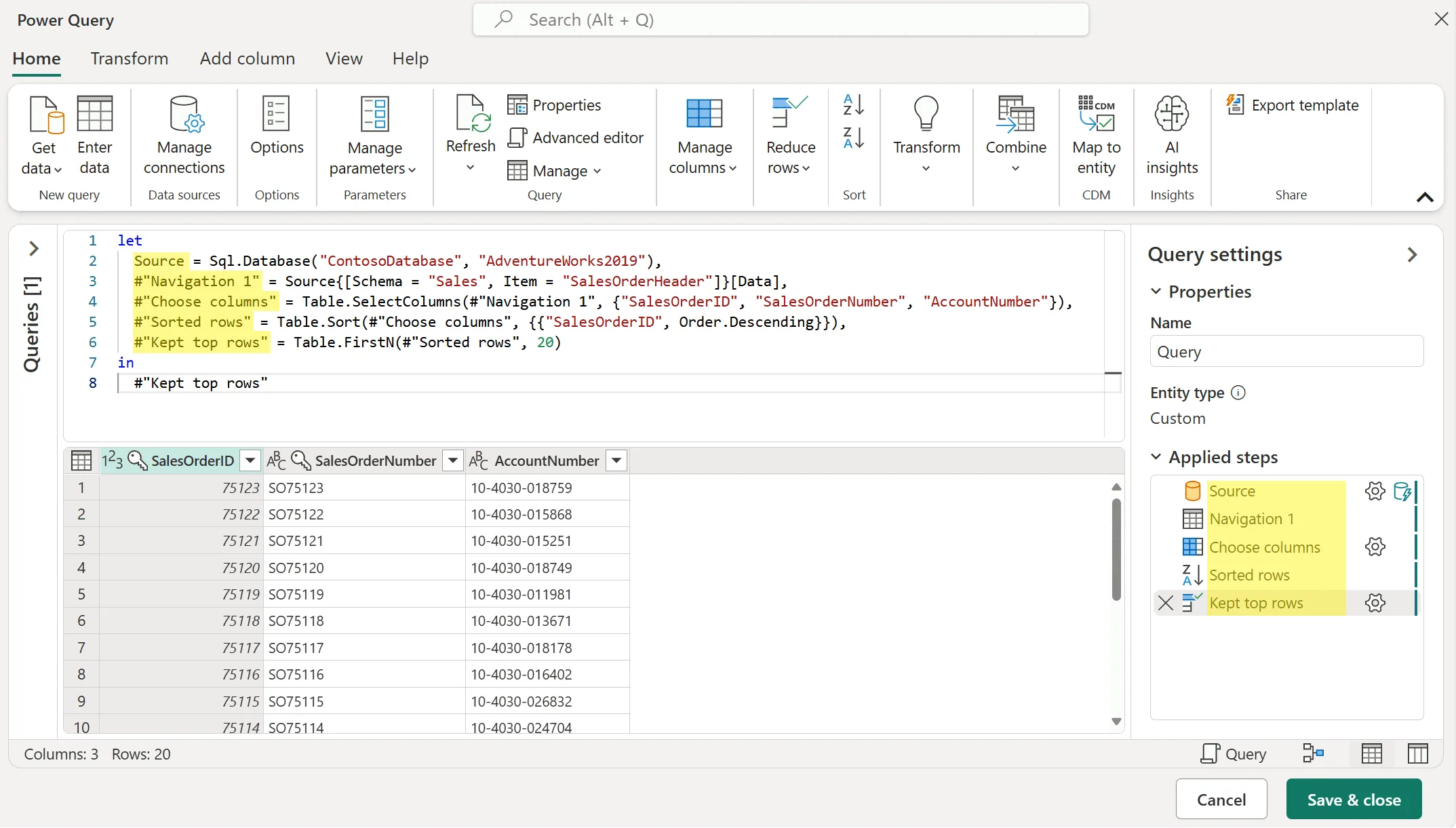
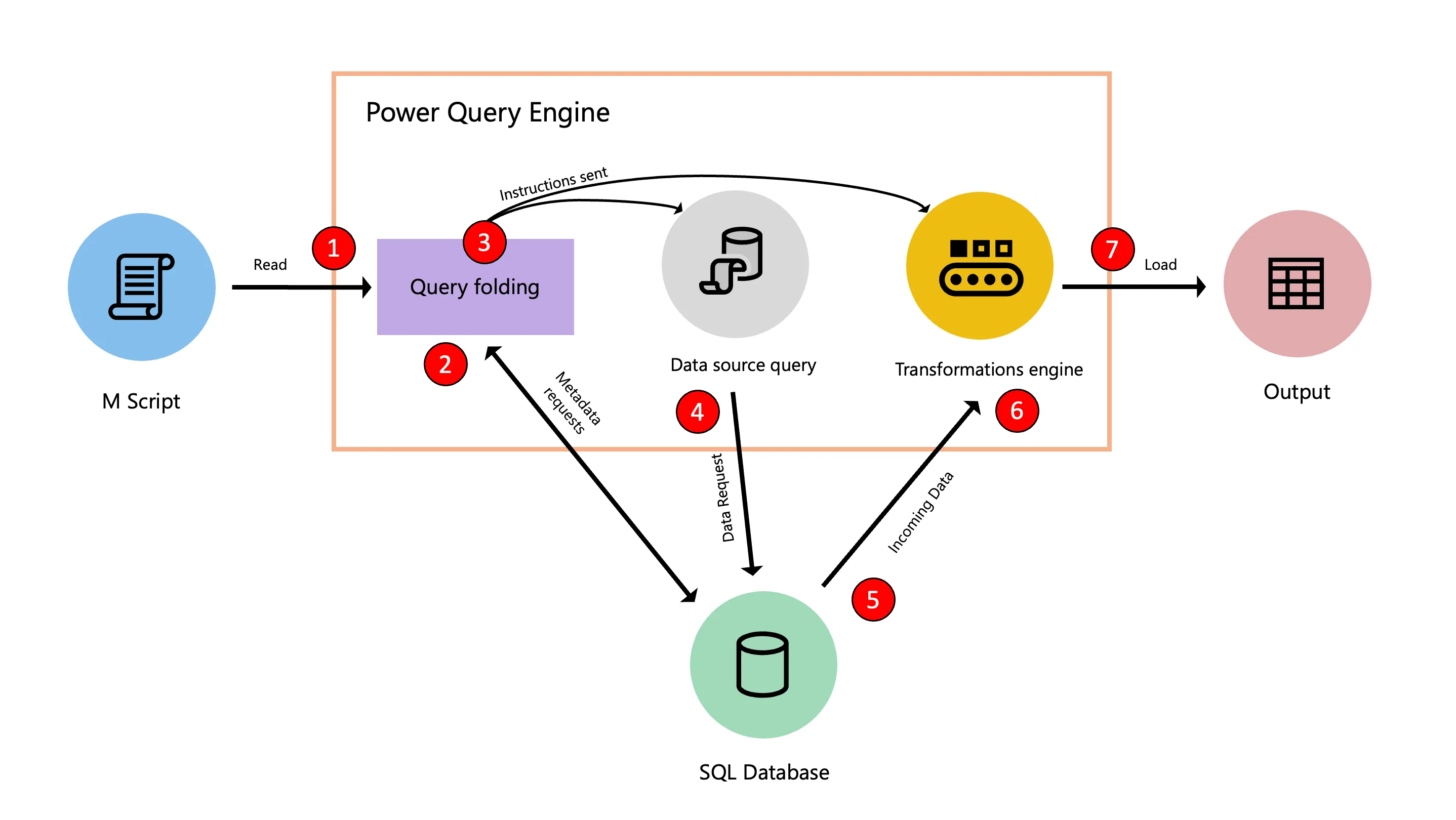
The M script describes the desired result. During evaluation, Power Query inspects source capabilities and metadata, identifies which transformations can be delegated, and combines them into a native request. The remaining work runs in the Power Query engine after the data arrives.
Consider a filter over a SQL table with one hundred million rows. With folding, the database applies the WHERE clause and returns only the required slice. Without it, Power Query may need to receive a much larger set and filter locally. The result can look identical, but the path — and cost — are very different.
Full, partial, or no folding
Evaluation is not simply “folded” or “not folded.” Current documentation identifies three outcomes, and the distinction matters for accurate diagnosis.
- Full folding: the source processes every transformation and Power Query does minimal local work.
- Partial folding: the source runs the translatable portion; remaining transformations run in the Power Query engine.
- No folding: the source returns data without processing the transformations, which are performed locally.
When it changes the project outcome
In Import mode, folding usually means faster refreshes and less CPU and memory use on the gateway or capacity. In DirectQuery, transformations must be translatable within that mode's constraints. For incremental refresh, the partition filter must reach the source; otherwise, the benefit of retrieving only the required window can disappear.
Folding does not explain everything. It affects data retrieval and transformation. A slow visual, expensive DAX measure, or oversized model requires a different investigation. Separate refresh time from report rendering time before optimizing.
Step order is a performance decision
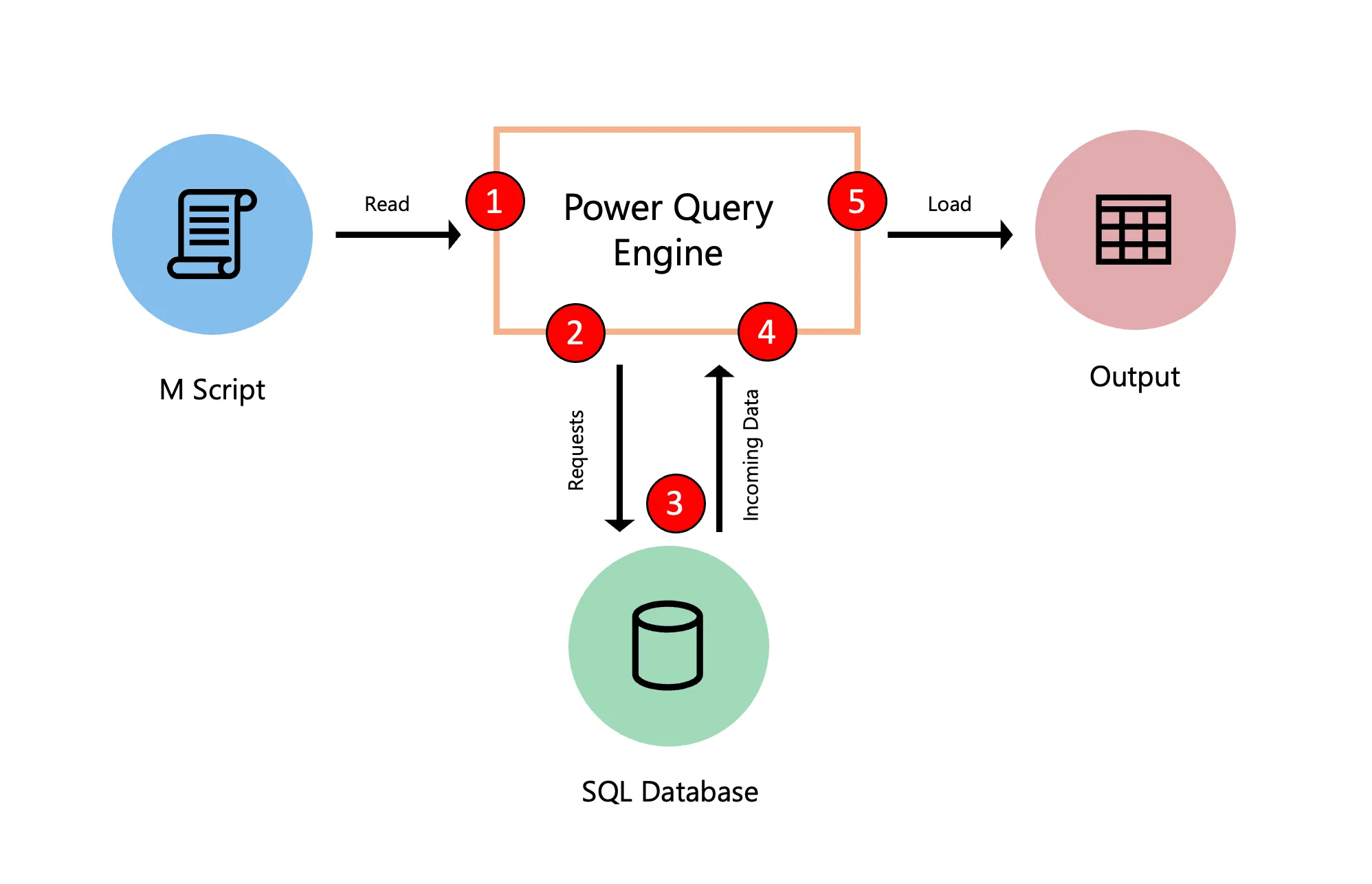
Reduce the set while the source can still help: filter rows early, keep only required columns, and prefer operations recognized by the connector. Leave custom transformations, row-by-row functions, and other non-foldable work until after the largest possible reduction.
Do not reorder blindly. Sources and connectors have different capabilities, and Power Query uses lazy evaluation: a step might not run if it does not contribute to the result. Validate the sequence with folding indicators and the query plan.
How to verify instead of guessing
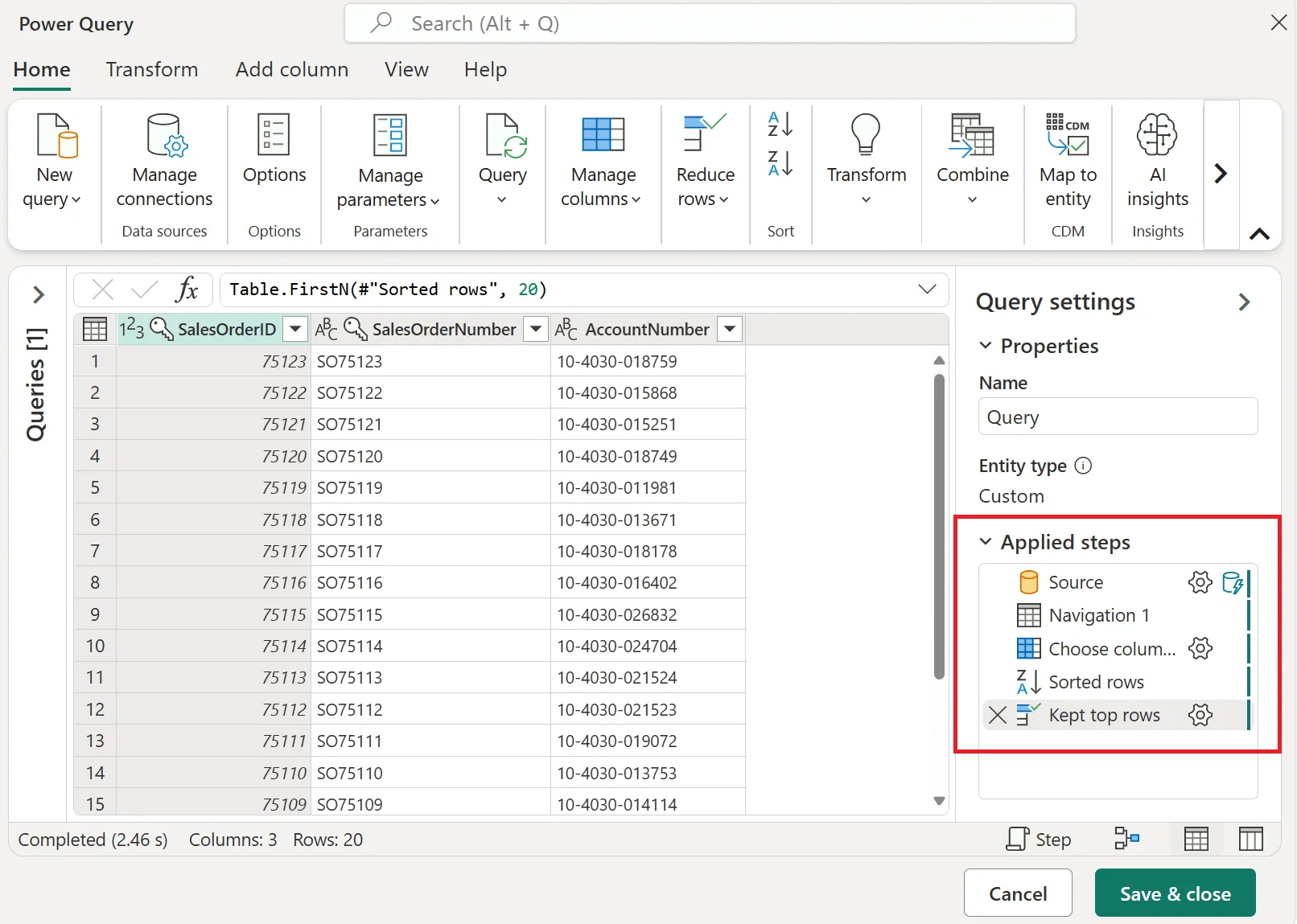
In Power Query Online, inspect the indicators beside each step and open the query plan to distinguish remote nodes from locally evaluated work. Where supported, use View native query or View data source query to inspect the generated request.
In Power BI Desktop, View Native Query remains a useful first check, but a disabled option alone does not prove that nothing folded. Use Query Diagnostics and, for SQL Server, database tracing tools when you need to prove which requests were sent.
- Test step by step and record the last point confirmed as foldable.
- Compare rows read, duration, and resource use before and after the change.
- Validate with the production connector and environment: support depends on the source, connector, and transformation.
- Do not pursue folding at any cost; a small local transformation after a major reduction can be perfectly acceptable.
Checklist for a healthy query
Before publishing or investigating a slow refresh, use this short checklist to turn query folding into an operating practice rather than a superstition.
- Does the source have a query engine? SQL Server and OData commonly fold; CSV and Excel do not.
- Do row filters and column selection come before expensive transformations?
- Is the incremental refresh filter delegated all the way to the source?
- Does the join use compatible sources and consistent privacy levels?
- Do indicators or the plan confirm remote execution instead of the interface merely suggesting it?
- Was the improvement measured in a real refresh, including gateway and capacity?